
Video surveillance equipment is defined as the integrated assembly of cameras, transmission infrastructure, recording devices, and management software used to capture, transmit, store, and analyze visual security data across a monitored site. These systems are classified as core physical security subsystems by ASIS International, placing them alongside access control and intrusion detection as foundational security tools. Whether you are securing a residential property, a commercial facility, or an industrial site, the hardware and software you choose determine what you see, when you see it, and how long you keep it. This guide covers every major component, camera type, and selection factor you need to make an informed decision in 2026.
What is video surveillance equipment and how does it work?
Video surveillance equipment operates as a signal chain. A camera captures light through its sensor, converts it into a video signal, and sends that signal to a recording device for storage and review. The path that signal travels and the format it takes depend entirely on whether your system uses analog or IP technology.
The process breaks down into four stages:
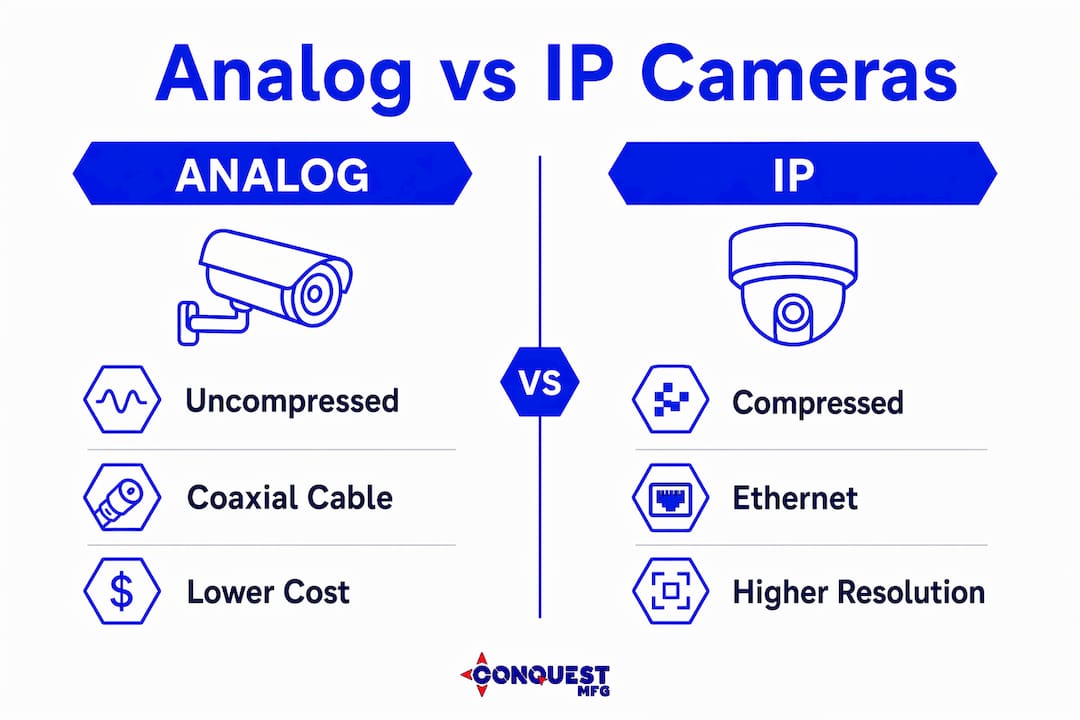
- Image capture. The camera sensor converts light into an electrical signal. IP cameras digitize this signal at the source before transmission. Analog cameras send a raw, uncompressed signal over coaxial cable to a DVR, where digitization happens.
- Transmission. Analog systems use coaxial cable to carry signals to a Digital Video Recorder. IP systems transmit over Ethernet to a Network Video Recorder, which allows longer cable runs and higher resolution without signal degradation.
- Recording and storage. DVRs handle analog streams; NVRs handle IP streams. Hybrid recorders accept both, which makes them practical for facilities upgrading from older analog infrastructure without replacing every camera at once.
- Management and review. Video Management Software (VMS) ties the entire system together. VMS centralizes recording, live viewing, playback, and analytics across all cameras in a single interface, which is what makes large multi-camera deployments manageable.
Compression standards have a direct impact on storage costs and network load. H.265 encoding is now standard, and a 4K stream typically consumes 8 to 15 Mbps of bandwidth. That figure matters when you are planning network infrastructure for a facility with 30 or more cameras.
Pro Tip: Calculate your total bandwidth requirement before purchasing cameras. Multiply the per-camera Mbps figure by your camera count, then add 20% headroom for peak traffic. Undersized network switches are one of the most common causes of dropped frames in new installations.
What are the types of surveillance cameras and equipment?
Camera form factor determines coverage area, deterrence value, and resistance to tampering. Choosing the wrong type for a location is a more common mistake than choosing the wrong resolution.
Analog vs. IP cameras
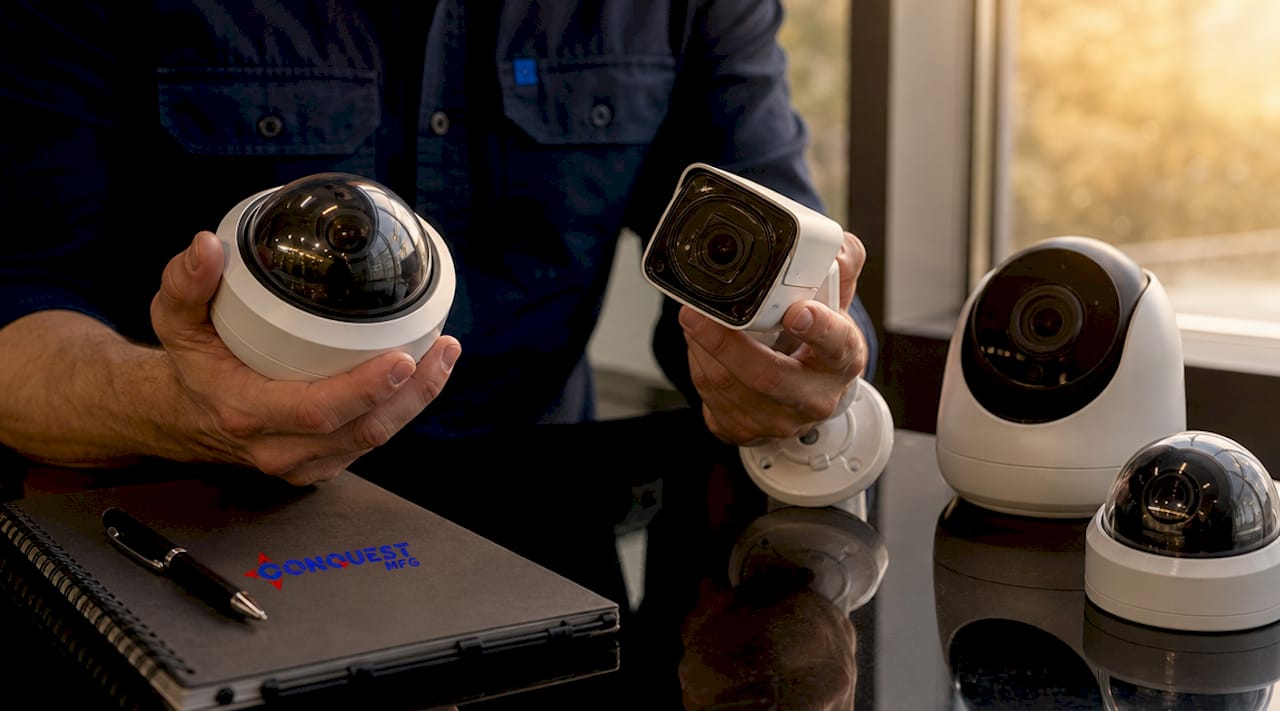
Analog cameras transmit uncompressed video over coaxial cable to a DVR. They are lower cost per unit and simpler to install in facilities that already have coax infrastructure. IP cameras digitize video at the source and transmit over Ethernet or Wi-Fi to an NVR. They deliver higher resolution, support Power over Ethernet (PoE), and integrate directly with VMS platforms and AI analytics engines. For new installations, IP cameras are the standard choice.
Camera form factors and their applications
| Camera Type | Field of View | Best Use Case | Key Feature |
|---|---|---|---|
| Dome | 90 to 120 degrees | Indoor ceilings, retail, lobbies | Vandal-resistant housing, discreet profile |
| Bullet | 60 to 90 degrees | Perimeter, parking lots, entrances | Visible deterrence, long-range focus |
| PTZ | Up to 360 degrees with pan/tilt | Large open areas, active monitoring | Remote zoom and pan, reads plates at 300 feet |
| Fisheye | 180 to 360 degrees | Warehouses, open floor plans | Single camera replaces multiple fixed units |
PTZ cameras are the most operationally demanding type. They deliver the widest coverage and can track moving subjects, but their motors and lenses require scheduled mechanical inspection to prevent failures that disable active monitoring at the worst possible moment.
Beyond cameras, a complete video monitoring system includes several supporting components:
- Junction boxes and housings protect cameras in outdoor or industrial environments from weather, dust, and physical impact.
- Power supplies and PoE switches deliver power directly over Ethernet cable, eliminating the need for separate power runs to each IP camera.
- Surveillance-grade storage drives are purpose-built for continuous 24/7 write loads. Standard consumer drives fail prematurely under the constant write cycles of video recording, making drive selection a reliability issue, not just a cost decision.
- Uninterruptible power supplies (UPS) keep cameras and recorders running during power outages, which is when security incidents are most likely to occur.
Modern features and technologies in video surveillance systems
The most significant shift in commercial video surveillance over the past three years is the move from passive recording to active intelligence. AI and machine learning now deliver facial recognition, motion triggers, and behavioral alerts that reduce the manual monitoring burden on security staff. A system that alerts operators only when a person enters a restricted zone after hours is fundamentally more useful than one that records 24 hours of empty hallway footage.
Cloud storage and remote accessibility have changed how organizations manage footage retention. On-premises NVRs give you full control over data and no recurring storage fees. Cloud-based systems offer remote access from any device and off-site redundancy if on-site hardware is damaged or stolen. Many facilities now run hybrid architectures, storing recent footage locally for fast retrieval and archiving older footage to the cloud.
Network security is a non-negotiable consideration for any IP-based system. CCTV systems use closed-circuit transmission to limit signal access to private networks, but once cameras connect to IP infrastructure, that boundary requires active management. Default passwords, unpatched firmware, and open network ports are the three most common attack vectors for networked surveillance systems.
Pro Tip: Segment your surveillance cameras onto a dedicated VLAN separate from your general business network. This limits exposure if a camera is compromised and prevents surveillance traffic from competing with business-critical applications for bandwidth.
Key capabilities to evaluate when comparing modern surveillance systems:
- AI-powered analytics: Motion detection, object classification, and facial recognition reduce false alarms and speed up forensic review.
- Remote access and mobile viewing: Legitimate remote access requires encrypted connections and multi-factor authentication to prevent unauthorized viewing.
- Scalability: NVR-based systems should support license expansion without replacing hardware as your camera count grows.
- Integration with access control: Systems that share data between video surveillance and door access logs create a more complete security picture.
How to select and implement video surveillance equipment for your needs
Selecting the right equipment starts with a site assessment, not a product catalog. The physical layout, lighting conditions, and specific risk factors at your location determine which cameras and recording infrastructure will actually perform.
Follow this sequence when planning a new installation:
- Map your site and identify coverage zones. Walk the perimeter and interior. Mark entry points, high-value assets, blind spots, and areas with poor lighting. Every camera position should serve a defined purpose.
- Match camera types to each zone. Use dome cameras for indoor ceilings and corridors. Deploy bullet cameras at perimeter entry points where visible deterrence matters. Place PTZ cameras in large open areas where active tracking adds value. Use fisheye cameras in warehouses or open floor plans where a single unit can replace three or four fixed cameras.
- Calculate storage requirements. Storage needs depend on resolution, frame rate, compression, and retention period. A 4K camera at 15 frames per second using H.265 compression generates roughly 40 to 60 GB per day. Multiply by camera count and retention days to size your NVR storage correctly.
- Assess your network infrastructure. Confirm that your switches support PoE if you are deploying IP cameras. Verify that your network can handle the aggregate bandwidth of all cameras running simultaneously. Plan for redundant network paths on critical camera runs.
- Choose your VMS platform before finalizing hardware. VMS software manages multi-camera feeds, analytics, and forensic investigation and is often the deciding factor in how useful a system is day to day. Confirm that your chosen cameras are compatible with your VMS before purchasing.
For industrial and construction sites, surveillance equipment for industrial sites often requires ruggedized housings, extended temperature ratings, and rapid-deployment capability that standard commercial equipment does not provide. Mobile surveillance towers, for example, allow coverage of sites where permanent infrastructure does not exist.
Key takeaways
Effective video surveillance equipment combines the right camera types, recording infrastructure, and VMS software to deliver reliable, actionable security coverage.
| Point | Details |
|---|---|
| System architecture matters | IP cameras with NVRs and VMS outperform analog setups for scalability and analytics. |
| Camera type drives coverage | Match dome, bullet, PTZ, or fisheye cameras to specific zones based on field of view and purpose. |
| Storage drives must be surveillance-grade | Consumer drives fail under 24/7 write loads; use purpose-built surveillance drives to protect footage. |
| VMS is not optional | Video Management Software centralizes feeds, analytics, and forensic review across all cameras. |
| Network security is a system requirement | Segment cameras on a dedicated VLAN and enforce encrypted remote access to prevent unauthorized viewing. |
Why most surveillance systems underperform from day one
I have seen the same pattern repeat across industrial and commercial installations: the hardware budget gets approved, cameras get mounted, and then the system sits largely unused because nobody planned the software side. The VMS gets a default configuration, storage fills up in three weeks instead of three months, and the first time someone needs to pull footage for an incident, it takes two hours to find a 30-second clip.
The uncomfortable truth is that VMS software is consistently underestimated compared to cameras, yet it determines 80% of the system’s day-to-day value. A mediocre camera on a well-configured VMS with proper retention policies and alert rules will outperform a 4K camera dumping footage into an unmanaged recorder.
The second pattern I see is the shift from passive to active surveillance being treated as a future upgrade rather than a baseline requirement. AI-driven intelligence is not a premium feature anymore. It is the difference between a system that tells you something happened after the fact and one that tells you something is about to happen. For any facility with real security exposure, that distinction is worth planning for from the start, not retrofitting later.
My advice: spend as much time selecting and configuring your VMS as you spend selecting cameras. Build your storage calculation before you buy a single drive. And if your site requires mobile or rapid-deployed coverage, do not try to adapt fixed commercial equipment to that job. Purpose-built solutions exist for a reason.
— Peter
Professional video surveillance solutions from Conquestmfgusa
Conquestmfgusa designs and manufactures purpose-built surveillance equipment for industrial, construction, and commercial applications where standard off-the-shelf systems fall short. Our Portable Rapid-Deployed Video Surveillance Towers deliver full camera coverage on sites without permanent infrastructure, integrating IP cameras, NVR recording, and remote access in a single deployable unit.

For facilities that need ruggedized, custom-built surveillance hardware matched to real operational conditions, Conquestmfgusa provides the engineering expertise and manufacturing capability to deliver. Explore our industrial security solutions or contact our team directly to discuss your site requirements and get a tailored equipment recommendation.
FAQ
What does video surveillance equipment include?
Video surveillance equipment includes cameras (analog or IP), transmission infrastructure (coaxial cable or Ethernet), recording devices (DVR or NVR), storage drives, and Video Management Software. Together these components capture, transmit, store, and manage visual security data.
What is the difference between a DVR and an NVR?
A DVR digitizes video from analog cameras after receiving the signal over coaxial cable. An NVR receives pre-digitized video from IP cameras over Ethernet and handles storage and management without performing digitization itself.
How long does surveillance footage need to be stored?
Retention requirements vary by industry and regulation, but most commercial facilities retain footage for 30 to 90 days. Storage sizing depends on camera count, resolution, frame rate, and compression standard, with H.265 significantly reducing storage consumption compared to older codecs.
What should I look for in surveillance equipment for an industrial site?
Prioritize ruggedized camera housings rated for your environmental conditions, surveillance-grade storage drives built for continuous recording, PoE networking for simplified installation, and a VMS platform that supports AI analytics and remote access with encrypted connections.
Can surveillance cameras work without internet access?
Yes. On-premises NVR-based systems record and store footage locally without requiring internet connectivity. Internet access is only needed for remote viewing, cloud storage, or software updates, and can be added selectively without compromising local recording reliability.